
Google Business Profile suspended? Why it happens to tradies and how to get it back
24 November 2026
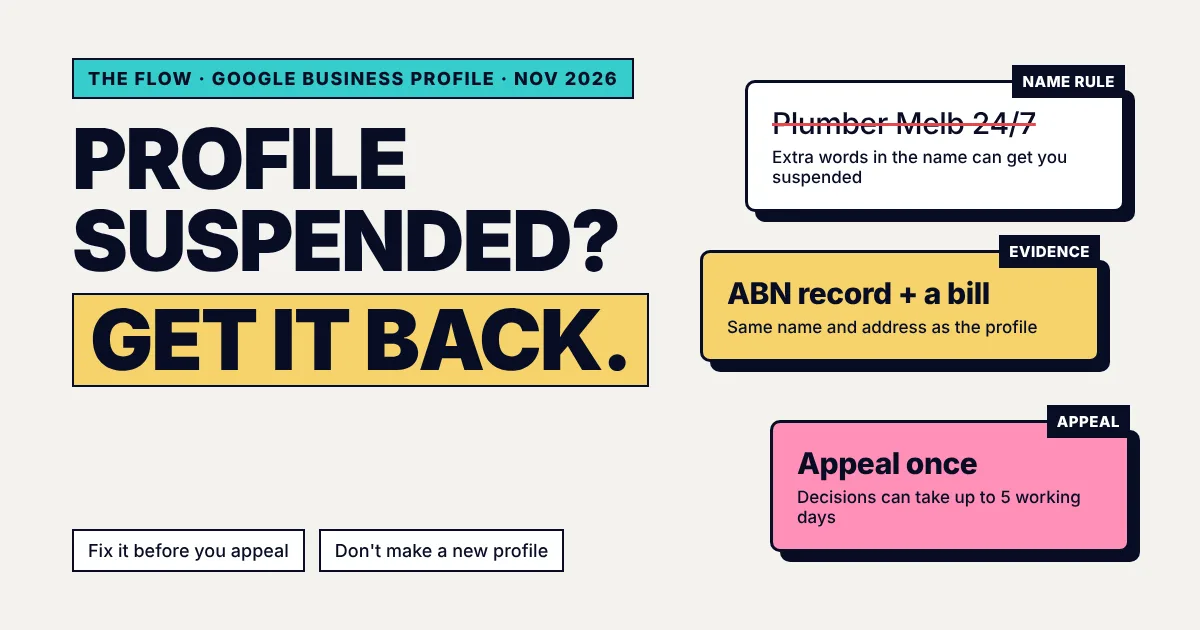
Monday morning, you search your own business on Google Maps to grab the review link for a customer. Nothing. Your profile, your reviews, your photos, gone. In your inbox there's an email from Google with the word suspended in it.
It feels personal. It almost never is. Google checks profiles against its guidelines, and the rules about business names and addresses are stricter than most tradies and mobile businesses expect. Here's what usually causes it, what to fix, and how to appeal so you only have to do it once.
How do I get a suspended Google Business Profile back?
Fix anything on the profile that breaks Google's guidelines, gather documents showing your business name and address, then submit one appeal through the Google Business Profile appeals tool. Don't create a new profile. Google says appeal decisions can take up to five working days, and it emails you the result.
That's the short version, from Google's own guides: fix suspended or disabled profiles and appeal profile restrictions. The detail is where most appeals go wrong.
Why do Google Business Profiles get suspended?
Because something on the profile, or the account that manages it, doesn't follow Google's guidelines for representing your business. Google says plainly that it can suspend profiles that break them. For service businesses, these are the ones I'd check first.
| What's on the profile | What Google's guidelines say | Fix |
|---|---|---|
| Extra words in the name: "Dave's Plumbing Melbourne 24/7 Emergency Plumber" | Unnecessary information in the name isn't permitted and could result in suspension. That includes taglines, service information, location information, opening hours and phone numbers. | Use the name on your van, invoices and website: "Dave's Plumbing" |
| A PO box or mailbox as the address | PO boxes and mailboxes at remote locations aren't acceptable | Use where you actually work from, then hide it if customers don't visit |
| A virtual office or coworking desk | Only eligible if it has your signage, receives customers and is staffed by your team during opening hours | Base the profile where you really operate |
| Two profiles for one business | There should only be one profile per business | Keep the verified one; don't make another |
| A service area that sprawls across the state | Up to 20 service areas, no more than about two hours' drive from your base (service areas) | Cut it back to the suburbs you really cover |
| Ten categories ticked "just in case" | Choose the fewest categories that describe your core business | Keep one primary and only true extras |
The name rule is the easiest one to break by accident. It's tempting to add the suburb and the service because it looks like it should help you rank. Google treats it as a breach, and its guidelines say outright that it could get the profile suspended.
If you set your profile up from home or a van, I've covered how to do it inside the rules in setting up a Google Business Profile with no shopfront. Hiding your address is allowed. Using an address you don't work from isn't.
What should I fix before I appeal?
Everything, before you press submit. Google says appeals can only be submitted once, so an appeal sent with the keyword-stuffed name still in place is an appeal wasted.
- Read the email or the appeals tool. Google's appeals tool shows the date of the decision, the reason, a link to the policy you broke and whether it can be appealed. Start there rather than guessing.
- Clean up the name. Strip it back to the name you trade under. If you want "Pty Ltd" or special characters in it, Google asks for real-world proof such as signage, business cards or invoices showing it that way.
- Check the address and service area. A real location you work from, hidden if customers don't come to you, with service areas inside about two hours' drive.
- Match your details everywhere. The name and address on your documents need to match the profile. Check your website, invoices and the business details in your own systems too, so everything tells Google the same story.
- Don't make a new profile. Google's guide says it directly. A second profile for the same business is its own breach.
What evidence should an Australian business attach to the appeal?
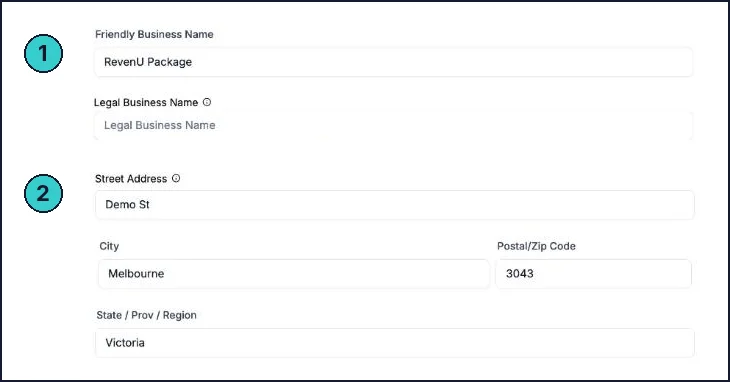
Google lists official business registration, a business licence, tax certificates and utility bills such as electricity, phone, water or internet. The business name and address on each document should match the profile. In Australia, that usually means two things together.
- Your ABN record. ABN Lookup is free and needs no login. It shows your entity name, whether the ABN is active, your GST status and your main business location. That location is only a state and postcode, not a street address, which is why it's worth pairing with a second document.
- A document with your street address. A phone, internet or electricity bill in the business name, or your trade licence if it shows the address. A trade licence also backs up the category you've chosen.
Check the name on every document before you upload it. If your ABN says "Smith Family Trust" and you trade as "Dave's Plumbing", attach something that ties the two together, such as a registered business name record or an invoice with both on it.
How do I submit the appeal?
- Open the appeals tool from Google's suspended profiles guide, signed in to the Google Account that manages the profile.
- Select the Business Profile, then the decision you want to appeal, and select Continue.
- Upload your evidence with Choose file. You can attach more than one file.
- Use the text box to say, briefly, what you've fixed. One or two plain sentences: "We've removed the suburb and service words from the name. It now matches our ABN record and licence, attached."
- Tick the box confirming your evidence is attached, then select Submit appeal.
Google emails you the decision, and you can check the status in the same tool: Submitted, Approved, Not approved, Can't be appealed or Eligible for appeal. Google says not to send more than one appeal for the same issue while you wait.
What if my whole Google Account is restricted?
If the account itself is restricted, every profile it manages is suspended and you can't create or claim others. Google says to appeal the account first from your My accounts page, then appeal the profile once the restriction is lifted.
What happens if the appeal is denied?
You can request an additional review of a denied request and add evidence that wasn't in the first one. Treat it like the first appeal: find what you missed, fix it, then send. On Google today I saw reinstatement services advertised from $500 on a no win, no fee basis. Most owners can do this themselves with the right two documents and a clean profile.
How do I stop it happening again?
- Leave the name alone. Rank with reviews from real jobs, not keywords.
- Keep owners and managers on the profile to people who should be there.
- Get reviews the honest way. Never offer anything in return for one. I've written up how in review links, QR codes and cards.
Once you're back, check your profile is still connected to your revenu account so reviews keep landing in one place. The steps are in the help centre: connect your Google Business Profile.
Questions people ask
How do I unsuspend my Google Business Profile?
Fix whatever breaks Google's guidelines first, then submit one appeal through the Google Business Profile appeals tool with documents that show your business name and address. Google emails you the decision.
How long does a Google Business Profile suspension last?
Google doesn't give a set length. The way back it describes is an appeal, and it says appeal decisions can take up to five working days. Don't send a second appeal for the same issue while you wait.
Can I just make a new Business Profile?
No. Google's suspension guide says not to create a new Business Profile for the same business. Appeal the one you have.
What if Google says no?
Google lets you request an additional review of a denied request, and you can add evidence that wasn't in your first appeal. Fix anything you missed before you send it.
What documents can I use as evidence in Australia?
Google lists business registration, a business licence, tax certificates and utility bills such as electricity, phone, water or internet. Your ABN Lookup record plus a bill or licence in the business name usually covers it. Names and addresses must match the profile.
If you'd like a second set of eyes on your profile before you appeal, or the review requests going out after every job the right way, that's the kind of thing I sort out in a revenu build. Book a chat and we'll look at your profile together.
Keep reading